WooCommerce Product Pricing: How to Display Prices That Convert
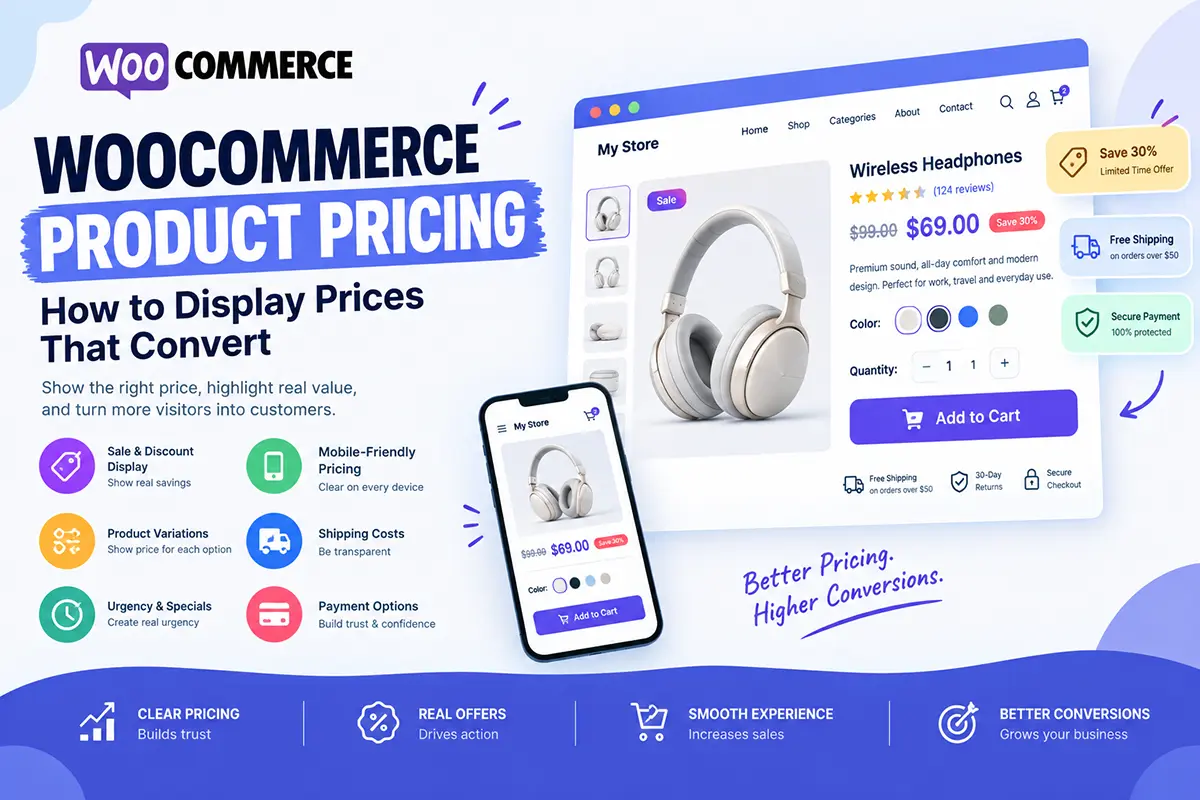
Price is one of the first things customers look for on a WooCommerce product page. If your pricing is confusing, difficult to find, or poorly presented, customers may hesitate—even when they are interested in the product. In this guide, we’ll look at how to display WooCommerce product pricing clearly and create a better buying experience.
Why is product pricing important on a WooCommerce product page?
Customers need to understand the cost of a product before they can make a purchase decision. Your product price should be:
- Easy to find
- Easy to understand
- Clearly connected to the product
- Consistent across devices
- Accurate
Avoid making customers search through the page to find the actual price.
Where should the price appear on a WooCommerce product page?
The price should usually appear near the product title and other important purchase information.
A common structure is: Product Title → Rating → Price → Benefits → Variations → Add to Cart
This allows customers to understand the product and its cost before deciding whether to continue.
Should I show the original price and sale price?
If you’re genuinely offering a discount, displaying the original and sale price can make the offer easier to understand. For example:
$79,
$59 Save $20
This clearly communicates the price difference. However, don’t use fake discounts or inflated original prices. Your pricing should accurately represent your offer.
Should I use discounts on my WooCommerce product page?
Discounts can be useful, but they shouldn’t be the only reason customers buy. You can use offers such as:
- Percentage discounts
- Fixed-price discounts
- Buy-one-get-one offers
- Quantity discounts
- Free shipping thresholds
- Limited-time promotions
Make sure the offer is easy to understand and doesn’t create unnecessary confusion.
How should I display product variations and their prices?
Variable products require especially clear pricing. For example, a customer might select:
Size: Large
Color: Black
The product page should clearly communicate whether the selected variation changes the price. Avoid forcing customers to guess how much their selected option will cost.
Should I use “Starting at” pricing?
“Starting at” pricing can work for products with significant variation in price. For example: Starting at $29
This can be useful for products with multiple sizes, configurations, or packages. However, customers should be able to quickly discover the exact price of the option they want.
Should I show the price near the Add to Cart button?
Yes. Keeping the price close to the purchase action creates a clear connection between the product cost and the buying decision. For example: $59, Quantity: − 1 + ADD TO CART
You can also place useful information nearby, such as shipping or return details.
Should I display shipping costs near the product price?
If shipping costs significantly affect the purchase decision, make them clear. For example:
$59 + Free Shipping
or
$59 — Shipping calculated at checkout
Unexpected shipping costs can create hesitation, so transparency is important.
Can urgency increase ecommerce conversions?
Urgency can encourage customers to act when there is a genuine reason to act now. Examples include:
- Sale ending at a specific time
- Limited stock
- Seasonal promotion
- Limited-time shipping offer
For example: Sale ends tonight
A countdown timer can also be used when the deadline is real. Avoid fake countdowns that reset every time someone visits the page.
Should I use a countdown timer on my product page?
A countdown timer can be useful for genuine time-limited promotions. However, adding a timer to every product page can make your store feel overly aggressive. Use urgency when it reflects a real offer—not simply as a design trick.
How can I make product pricing easier to understand?
Keep pricing simple. Instead of showing too many competing prices, discounts, badges, and promotional messages, establish a clear hierarchy. For example:
Regular Price: $79
Sale Price: $59
You Save: $20
Then provide the purchase action. Customers shouldn’t need to calculate the offer themselves.
Should I show payment options near the price?
For higher-priced products, showing payment options can help customers understand how they can pay. Depending on your store, you might display:
- Credit/debit cards
- PayPal
- Apple Pay
- Google Pay
- Buy-now-pay-later options
Only display payment methods that are actually available during checkout.
How should pricing work on mobile?
Your mobile product page should make the price immediately visible without requiring excessive scrolling. Pay attention to:
- Price size
- Sale-price visibility
- Variation selectors
- Quantity controls
- Add to Cart button
- Shipping information
Customers should be able to understand the total purchase decision comfortably on a small screen.
Should I A/B test different pricing displays?
If your store receives enough traffic, testing can help you understand how customers respond to different presentations. You could test:
- Price placement
- Sale-price presentation
- CTA placement
- Discount messaging
- Product page layouts
- Offer presentation
Remember that A/B testing pricing itself is different from testing the visual presentation of pricing. If you test actual prices, make sure your test setup and business policies allow for it.
How can Noorifa help create better WooCommerce product pages?
Noorifa is a conversion-focused WooCommerce theme designed to give store owners greater control over their product-page layouts.
You can create custom sections for:
- Product pricing
- Custom product page
- Hero section
- Video testimonial
- Custom product page color
- Product benefits
- Variations
- Trust signals
- Shipping information
- Reviews
- FAQs
- Sticky Add to Cart
- Promotional sections
- 30+ Custom blocks
Noorifa also includes built-in A/B testing, allowing you to experiment with different product-page layouts and measure their performance.
Final Thoughts
Your product price shouldn’t be hidden or confusing. Make the price easy to find, clearly communicate genuine discounts, explain shipping costs, and make sure customers understand exactly what they are paying for. A strong pricing presentation doesn’t trick customers into buying.
It gives them the clarity and confidence they need to make a decision.
Leave a Comment