WooCommerce Product Page Trust Signals: How to Build Customer Confidence
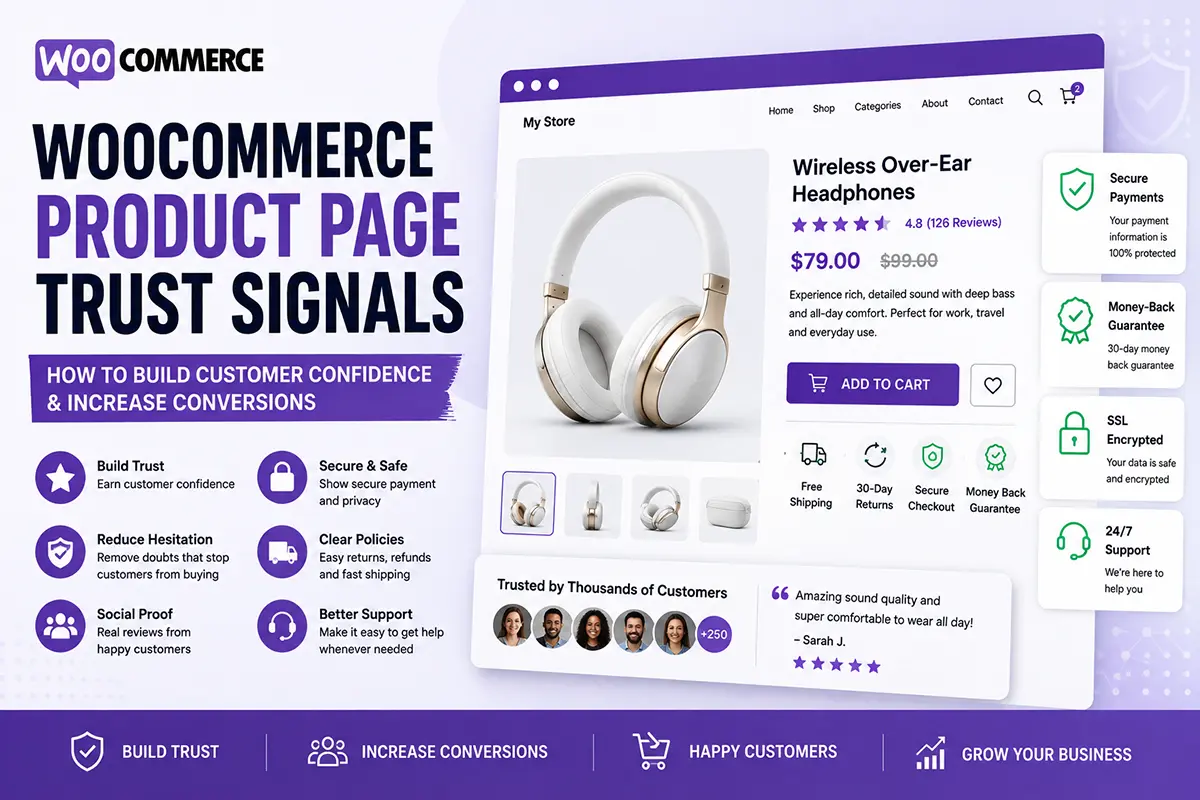
Getting visitors to your WooCommerce store is important, but getting them to trust your store enough to buy is just as important.
Customers may hesitate because they’re unsure about product quality, shipping, returns, payment security, or whether your business is legitimate.
That’s where trust signals come in. In this FAQ-style guide, we’ll look at how to use trust signals and social proof to create a more trustworthy WooCommerce product page.
What are trust signals on a WooCommerce product page?
Trust signals are elements that reassure customers that they are making a safe and reliable purchase. Common examples include:
- Customer reviews
- Star ratings
- Secure payment information
- Shipping details
- Return policies
- Money-back guarantees
- Product guarantees
- Customer testimonials
- Certifications
- Contact information
The right trust signals depend on your product and business.
Why are trust signals important for ecommerce?
Online shoppers can’t physically inspect your store or talk to a salesperson face-to-face. Before purchasing, they may ask:
Is this product genuine? Will I actually receive my order? Can I return it if something goes wrong? Are other customers happy with it?
Clear trust signals help answer these questions and reduce uncertainty.
Are customer reviews important on a WooCommerce product page?
Yes. Customer reviews are one of the most useful forms of social proof because they show potential buyers what previous customers experienced. Reviews can provide information about:
- Product quality
- Size
- Performance
- Taste
- Packaging
- Delivery
- Overall experience
Where appropriate, customer photos can make reviews even more useful. Always use genuine reviews rather than creating fake testimonials.
Where should reviews appear on a product page?
A product page can show reviews in multiple places. For example:
Near the product title: Star rating + review count
Further down the page: Detailed customer reviews
This gives visitors an immediate indication of customer satisfaction while still providing detailed feedback for people who want to research the product.
Should I display a star rating near the product title?
Yes, if your product has genuine ratings. For example:
★★★★★ 4.8/5 — 126 reviews
This allows visitors to see social proof without having to scroll through the entire page. Make sure the rating accurately reflects your actual customer reviews.
What other trust signals should I add?
Consider adding information that addresses your customers’ biggest concerns. For example:
Shipping – Fast & reliable delivery
Returns – Easy 30-day returns
Payment – Secure checkout
Guarantee – Quality guaranteed
Only make claims that your business can actually support.
Should I use trust badges?
Trust badges can be useful when they communicate something meaningful. Examples include:
- Secure checkout
- Money-back guarantee
- Free shipping
- Verified payment methods
- Product certification
However, adding dozens of badges can make a product page look cluttered. Use a few relevant trust elements rather than filling the page with icons.
Where should trust information appear?
Important trust information should be close to the buying decision.
A simple structure could be: Price → Product Options → Add to Cart → Shipping/Returns → Trust Signals
More detailed trust information can appear further down the page. The goal is to reassure customers without distracting them from the main purchase action.
Can FAQs help build trust?
Yes. FAQs can remove uncertainty by answering common questions before customers purchase. For example:
How long does delivery take? What is your return policy? Is this product suitable for sensitive skin? What materials are used? How can I contact support?
A useful FAQ section can make your store feel more transparent and customer-focused.
Should I show contact information on my product page?
Making it easy for customers to contact your business can increase confidence. Depending on your business, you could provide:
- Email support
- Phone number
- Live chat
- Contact page
- Social media links
Customers are more likely to feel comfortable when they know there’s a real way to get help if something goes wrong
Can trust signals increase WooCommerce conversions?
Trust signals can help reduce purchase hesitation, but they aren’t a guarantee of higher conversions. Your overall product page still needs:
- Good product photography
- Clear product benefits
- Competitive pricing
- Useful product information
- A strong CTA
- Easy navigation
- A smooth checkout experience
Trust works best as part of the complete customer journey.
Should every WooCommerce product have the same trust signals?
Not necessarily. Different products can create different concerns. For example:
Skincare: Ingredients, authenticity, reviews, usage information
Food: Ingredients, nutrition, freshness, delivery information
Electronics: Warranty, specifications, compatibility, reviews
Clothing: Size guide, materials, returns, customer photos
Choose trust signals based on the questions your customers actually have.
How can I improve trust on my WooCommerce product page?
Start with a simple checklist:
✓ Display genuine reviews
✓ Show your rating clearly
✓ Explain shipping
✓ Make your return policy easy to find
✓ Use relevant trust badges
✓ Answer common questions
✓ Provide accessible customer support
✓ Clearly explain payment options
✓ Avoid exaggerated claims
The goal is simple: remove uncertainty before the customer clicks Buy.
How can Noorifa help create a trustworthy product page?
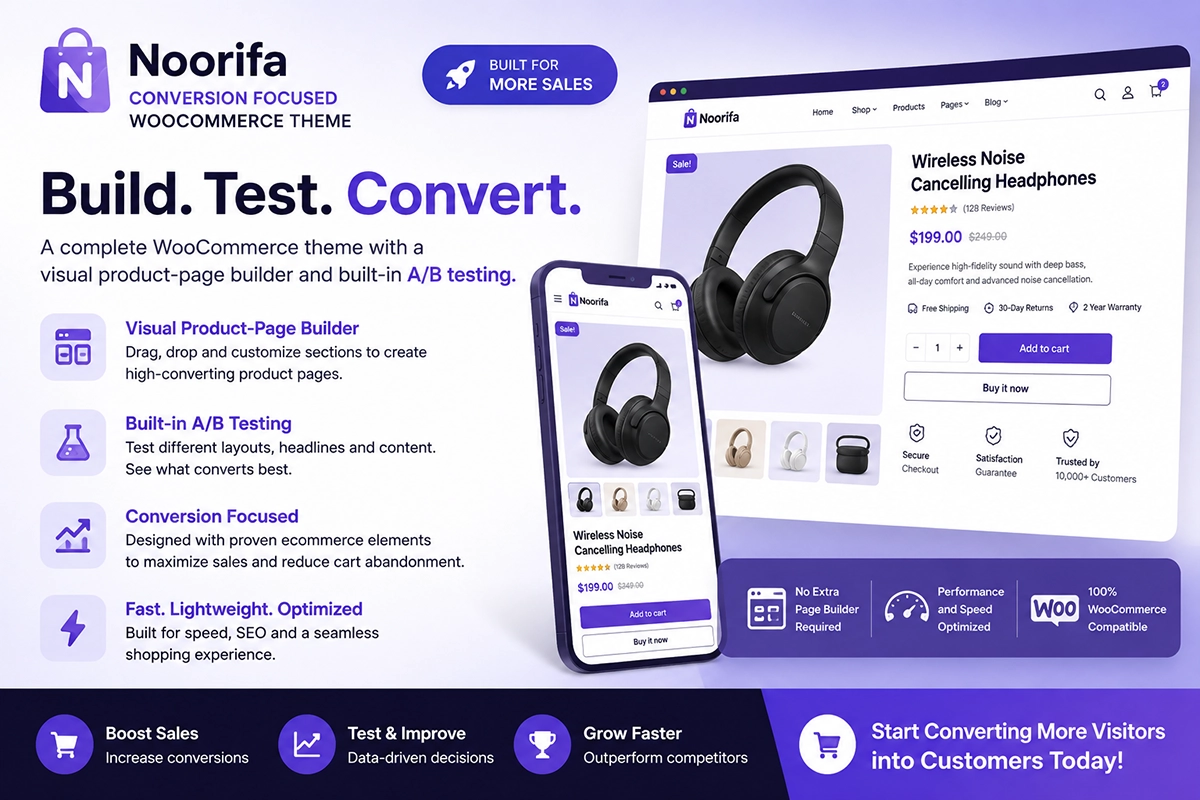
Noorifa is a conversion-focused WooCommerce theme that gives you control over your product-page structure. You can create custom sections for:
- Customer reviews
- Custom product page
- Trust badges
- Product benefits
- FAQs
- Comparison tables
- Shipping information
- Sticky Add to Cart
- Product details
You can also create reusable product layouts and use built-in A/B testing to compare different product-page experiences.
Final Thoughts
Customers don’t only buy products—they buy confidence. A strong WooCommerce product page should answer the questions that make customers hesitate. Show genuine reviews, explain shipping and returns, provide useful information, and make it easy for customers to get support. Most importantly, don’t use trust signals simply to make your page look professional.
Build real trust first. Then design the page around it.
Leave a Comment