WooCommerce Product Page Optimization: How to Get More Sales
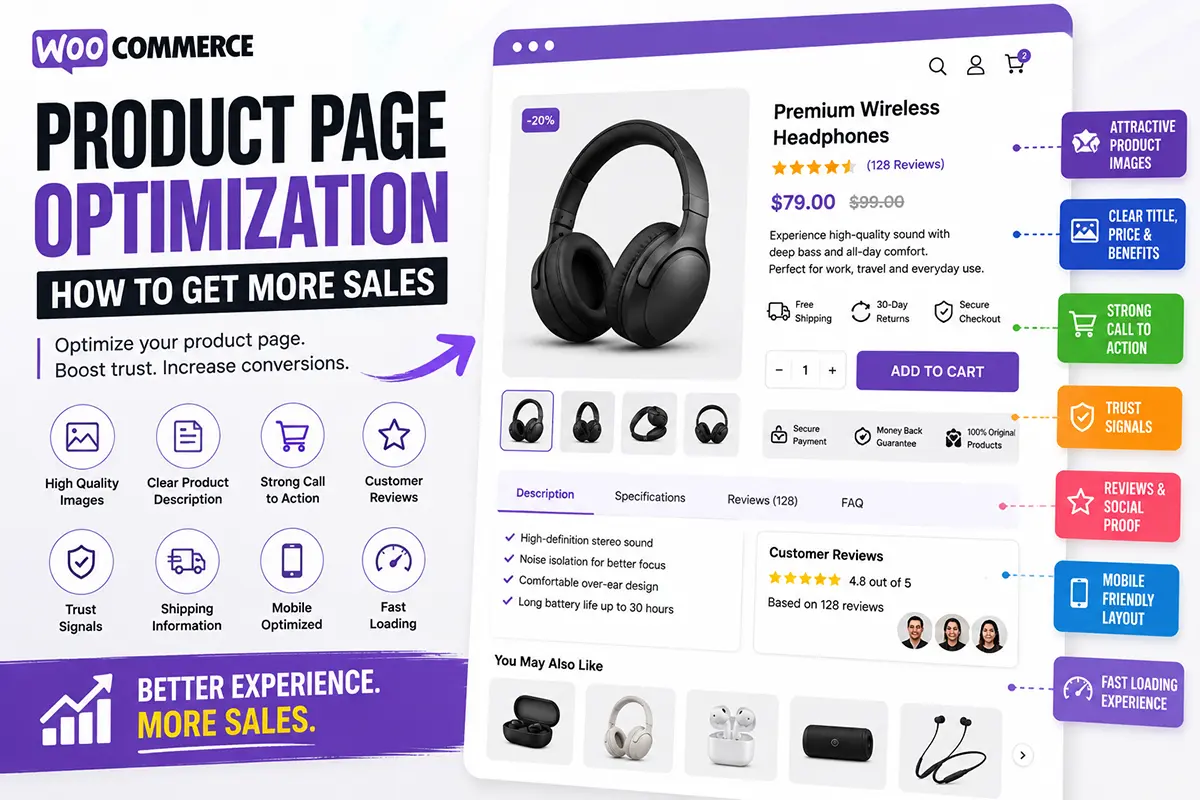
Your WooCommerce product page is where browsing turns into buying. Even if your store gets traffic from Google, Facebook, Instagram, or ads, a poorly optimized product page can cause potential customers to leave without purchasing.
Here are the most common questions about WooCommerce product page optimization and how to improve your store.
What is WooCommerce product page optimization?
WooCommerce product page optimization means improving your product page so visitors can understand the product, trust your store, and complete their purchase more easily. It can include improving:
- Product images
- Product descriptions
- Page layout
- Calls to action
- Reviews
- Trust signals
- Mobile experience
- Page speed
- Product information
The goal is to remove unnecessary friction from the buying process.
How can I make my WooCommerce product page more effective?
Start with the information customers need most. A strong product page should clearly communicate:
What is it? → Why should I want it? → How much does it cost? → Why should I trust you? → How can I buy it?
Keep the most important information near the top and provide additional details as visitors scroll.
What makes a good WooCommerce product description?
A good product description explains the product in terms customers understand. Instead of simply listing features, explain their benefits. For example:
Feature: 100% cotton fabric.
Benefit: Soft, breathable fabric designed for comfortable everyday wear.
Use short paragraphs, bullet points, headings, and visual sections so customers can quickly scan the content.
How important are product images?
Product images are extremely important because customers can’t physically examine the product online. Use multiple images showing:
- Different angles
- Close-up details
- Product scale
- Product-in-use
- Lifestyle situations
For some products, adding a product video or demonstration can provide even more context.
Where should the Add to Cart button be placed?
The Add to Cart button should be close to the product’s essential buying information.
A typical structure is: Product Title → Rating → Price → Options → Quantity → Add to Cart
Make the button easy to identify and easy to tap on mobile. For longer pages, consider using a sticky Add to Cart bar so customers don’t need to scroll back to the top.
How can I build trust on a WooCommerce product page?
Customers need confidence before giving you their money. Useful trust elements include:
- Customer reviews
- Clear shipping information
- Return policy
- Secure payment information
- Product guarantees
- Relevant certifications
Don’t add trust badges simply to make the page look professional. Use information that genuinely helps customers make a decision.
Do product reviews help increase sales?
Reviews can reduce uncertainty and provide social proof. Instead of simply displaying a star rating, encourage customers to leave detailed feedback about their experience. Customer photos and product-specific reviews can be particularly useful because they give potential buyers a better idea of what to expect.
How do I optimize a WooCommerce product page for mobile?
Start by checking the entire buying experience on a smartphone. Make sure:
- Images load quickly
- Text is easy to read
- Buttons are large enough to tap
- Variation selectors are simple
- Important information isn’t difficult to find
- Checkout works smoothly
Don’t optimize only the desktop version. Your mobile product page should be treated as a primary shopping experience.
Should I use the same product page layout for every product?
Not necessarily. A clothing product may need: Images → Size → Fit → Materials → Reviews
A skincare product may need: Benefits → Ingredients → How to Use → Reviews
An electronics product may need: Features → Specifications → Compatibility → Reviews
Your product page structure should reflect what customers need to know before buying that particular product.
How can I find out which product page design performs best?
Testing is better than guessing. If your store receives enough traffic, you can experiment with:
- Different product page layouts
- CTA placement
- Product descriptions
- Benefit sections
- Trust elements
- Product images
A/B testing can help you compare two versions and determine which one produces better results.
Can I optimize my WooCommerce product page without a page builder?
Yes.
Depending on your requirements, you can customize WooCommerce templates manually using code or use a WooCommerce theme that provides dedicated product-page customization features.
For store owners who don’t want to edit theme files, a visual product-page system can make the process much easier.
How can Noorifa help optimize WooCommerce product pages?
Noorifa is a conversion-focused WooCommerce theme designed around customizable product pages. It provides tools for creating product layouts with sections such as:
- Product galleries
- Custom product page
- Feature sections
- Hero section
- Trust badges
- Comparison tables
- Video testimonials
- FAQs
- Built in A/B split test
- Reviews
- Sticky Add to Cart
- 30+ custom blocks
You can also create reusable layouts and use built-in A/B testing to experiment with different product-page designs.
Final Thoughts
WooCommerce product page optimization isn’t about adding as many sections as possible. It’s about presenting the right information at the right time and making the buying process simple. Start with better product images, clear benefits, strong trust signals, an obvious CTA, and a mobile-friendly layout. Then test different approaches and improve the page based on real customer behavior. A better product page can turn the traffic you’re already getting into more customers.
Leave a Comment