WooCommerce Product Page Layout: What Should You Include?
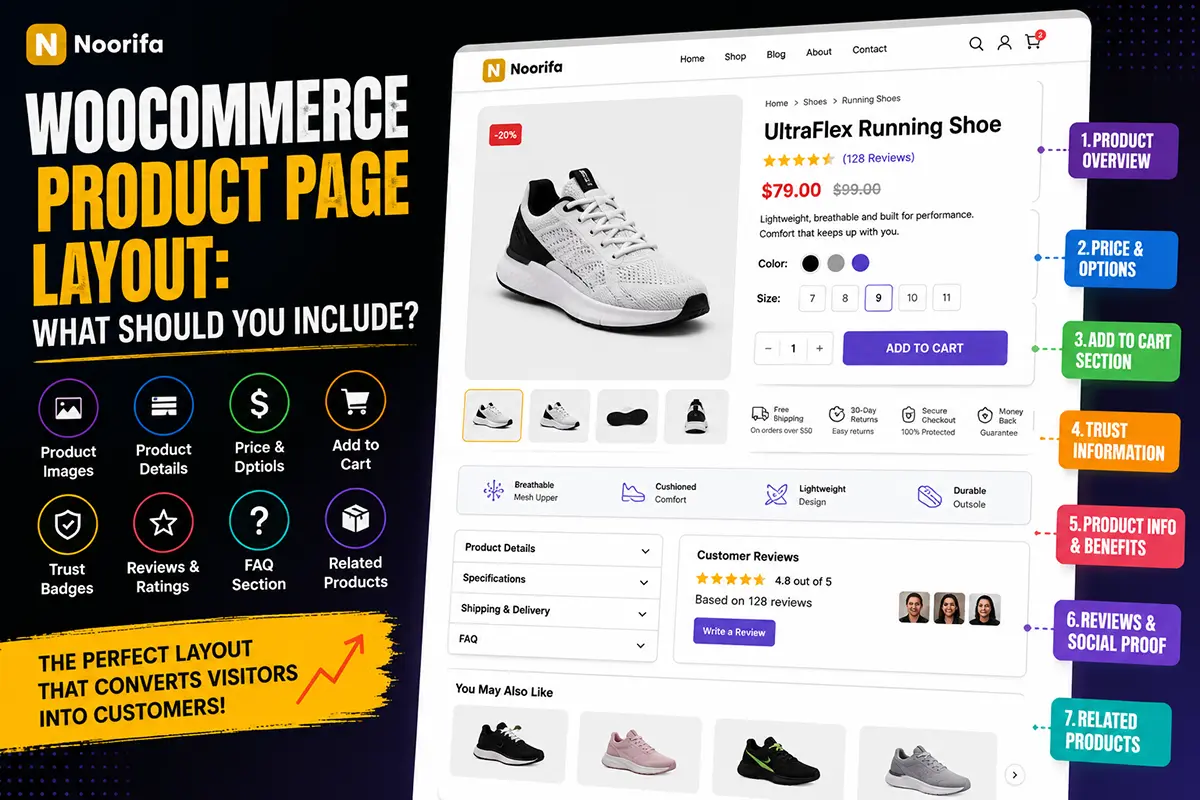
A well-designed WooCommerce product page does more than display a product and an Add to Cart button.
It should guide visitors through the buying decision by showing the right information in the right order. From product images and benefits to reviews and FAQs, every section can help customers feel more confident about making a purchase.
In this guide, we’ll answer the most important questions about building an effective WooCommerce product page layout.
What should a WooCommerce product page include?
A complete WooCommerce product page typically includes:
- Product images or gallery
- Product title
- Rating and reviews
- Price
- Short description
- Product variations
- Add to Cart button
- Shipping and trust information
- Product benefits
- Detailed product information
- Customer reviews
- Frequently asked questions
- Related products
Not every product needs every section, but the layout should provide customers with enough information to make a confident decision.
What should appear above the fold?
The area visitors see before scrolling should focus on the product and the purchase decision. A typical above-the-fold layout includes:
Product Gallery → Title → Rating → Price → Short Description → Product Options → Add to Cart
This section should quickly answer:
- What is the product?
- How much does it cost?
- Why should I buy it?
- How do I purchase it?
Keep this area clear and avoid unnecessary distractions.
Where should product benefits appear?
Product benefits should usually appear close to the main purchase section or immediately after it. Instead of making visitors read a long paragraph, highlight the most important benefits using:
- Icon lists
- Feature cards
- Short bullet points
For example:
✓ Premium materials
✓ Fast shipping
✓ Easy to use
✓ Designed for everyday use
Benefits help customers understand the value of a product quickly.
Where should the Add to Cart button go?
The main Add to Cart button should be clearly visible near the:
- Product title
- Price
- Product options
- Quantity selector
For long product pages, a sticky Add to Cart bar can also be useful. This keeps the purchase option accessible when customers scroll through reviews, product details, and FAQs.
Should trust information be included?
Yes. Trust information can help reduce hesitation before purchasing. You can include information such as:
- Secure checkout
- Shipping information
- Return policy
- Money-back guarantee
- Product certifications
Keep these messages simple and relevant to your actual store policies.
Where should detailed product information go?
Detailed information usually works well below the main purchase section.
Depending on the product, this may include:
- Specifications
- Materials
- Ingredients
- Dimensions
- Compatibility
- Usage instructions
You can display this information using tabs, accordions, or dedicated sections. The important thing is to make detailed information easy to find without overwhelming the main product area.
Should a product page include customer reviews?
Yes. Reviews can provide valuable social proof. Potential customers often want to know what other buyers think about:
- Product quality
- Performance
- Size
- Delivery experience
- Overall satisfaction
A dedicated review section can help customers feel more confident before purchasing.
Where should FAQs appear?
FAQs usually work well near the bottom of a product page, after the main product information. Answer questions that customers commonly ask before buying, such as:
- How long does shipping take?
- What is the return policy?
- How do I use the product?
- What size should I choose?
- What materials are used?
A good FAQ section can remove common objections without forcing customers to contact support.
What is the best order for a WooCommerce product page?
A common conversion-focused product page structure looks like this:
Breadcrumbs -> Product Gallery -> Product Category -> Product Title -> Rating & Reviews -> Price -> Short Description / Key Benefits -> Product Variations -> Add to Cart -> Shipping & Trust Information -> Product Benefits -> Product Details & Specifications -> Customer Reviews -> FAQ -> Related Products
This structure creates a logical journey from product discovery to purchase.
Should every product use the same layout?
Not necessarily. Different products require different information. For example, a skincare product may need:
Benefits → Ingredients → How to Use → Reviews
A food product may need:
Ingredients → Nutrition → Flavor → Serving Suggestions
A technical product may need:
Features → Specifications → Comparison → Compatibility
A flexible WooCommerce product page layout allows you to organize content based on what customers need to know.
Why is mobile product page layout important?
Many ecommerce visitors shop from mobile devices. Your WooCommerce product page should be easy to navigate on smaller screens. Make sure:
- Images are optimized
- Text is readable
- Buttons are easy to tap
- Product options are simple to select
- Important information is easy to find
Always test your complete product page on mobile—not just desktop.
How can you customize a WooCommerce product page layout?
The default WooCommerce product page provides essential ecommerce functionality, but customization gives you more control over the customer experience. With a flexible product page builder, you can create layouts using sections such as:
- Feature cards
- Custom product page
- Trust badges
- Comparison tables
- FAQ accordions
- Product reviews
- Image sections
- Sticky Add to Cart bars
This allows you to create product pages that better match your product and brand.
Build Custom WooCommerce Product Page Layouts With Noorifa
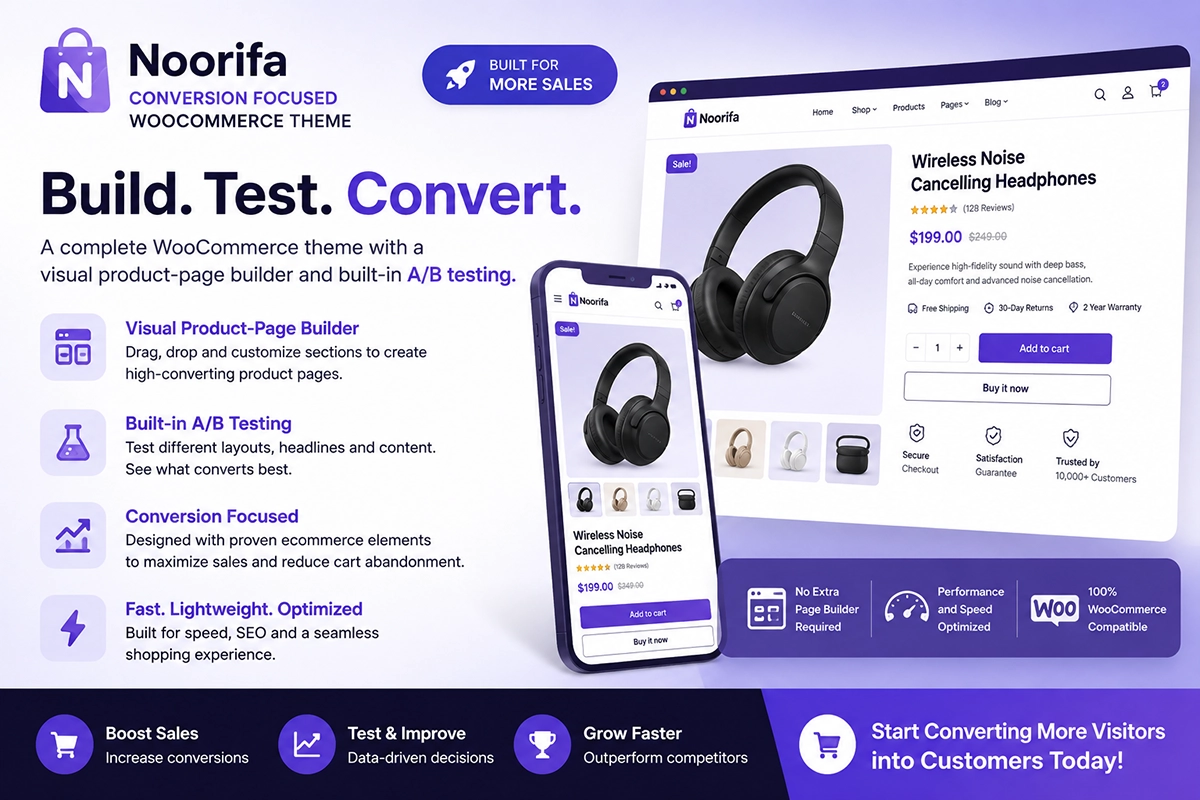
Noorifa is a conversion-focused WooCommerce theme that gives you more control over your product page design. You can create and reuse product layouts using conversion-focused sections and customize the structure for different products or categories.
Noorifa also includes built-in A/B testing, allowing you to test different product page layouts and measure how they perform. Instead of relying only on design assumptions, you can experiment and optimize based on real visitor behavior.
Final Thoughts
There is no single perfect WooCommerce product page layout for every store. The best layout depends on your product, customers, and the information they need before making a purchase. Start with a clear product section, make the buying process simple, highlight important benefits, build trust, and answer common questions. Then continue testing and improving.
Build. Test. Convert.
Leave a Comment