How to Customize Your WooCommerce Product Page with Noorifa
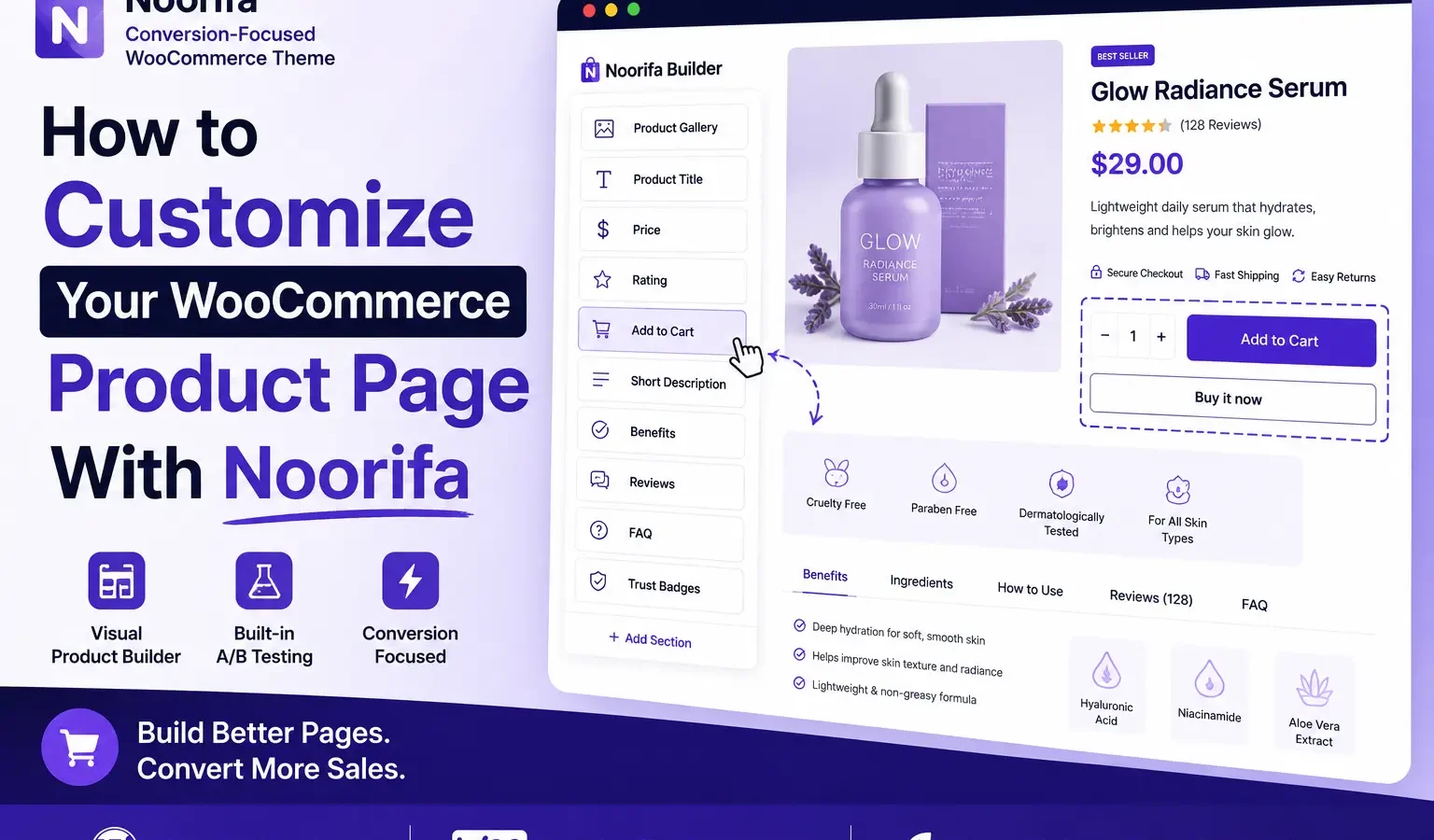
The default WooCommerce product page works well, but sometimes you need more control over the layout to create a better shopping experience.
Noorifa makes it easy to customize your WooCommerce product page visually—without editing theme files or relying on a separate page builder.
With Noorifa, you can build product layouts using sections such as Product Gallery, Product Title, Price, Add to Cart, Reviews, Trust Badges, FAQs, Feature Cards, Comparison Tables, and Sticky Add to Cart.
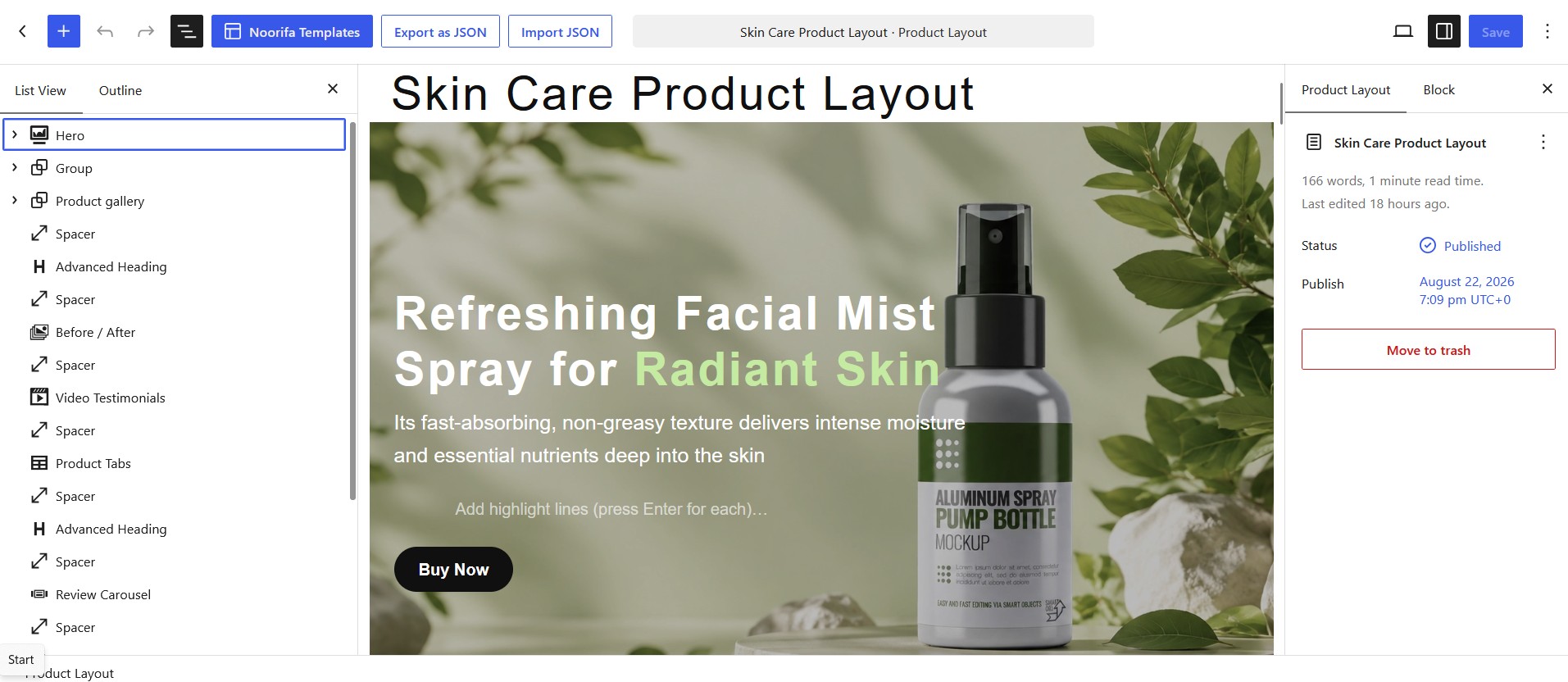
You can also create reusable layouts and assign them to individual products, product categories, or use them as your site-wide default.
Build Pages Designed to Convert
A good product page should do more than display a product. It should help customers understand the product, build trust, answer their questions, and make purchasing easy.
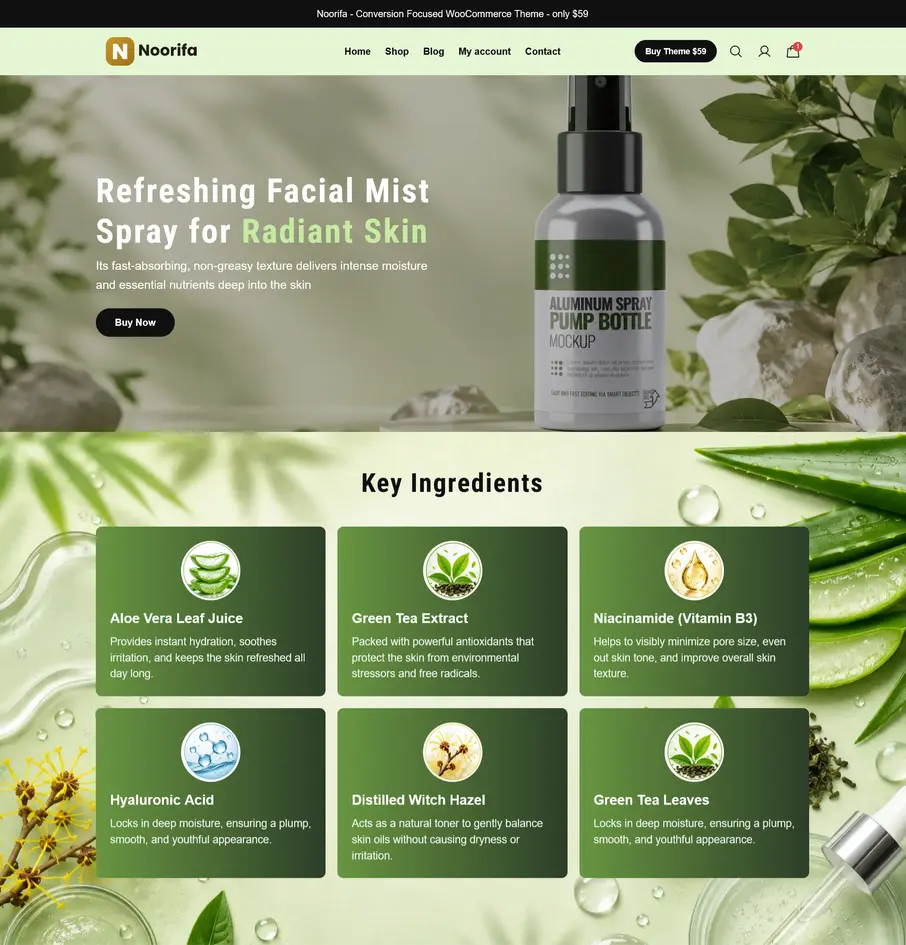
For example, a skincare product page could include:
Product → Benefits → Ingredients → Reviews → FAQ → Add to Cart
With Noorifa, you can create this type of custom product experience directly within your WooCommerce store.
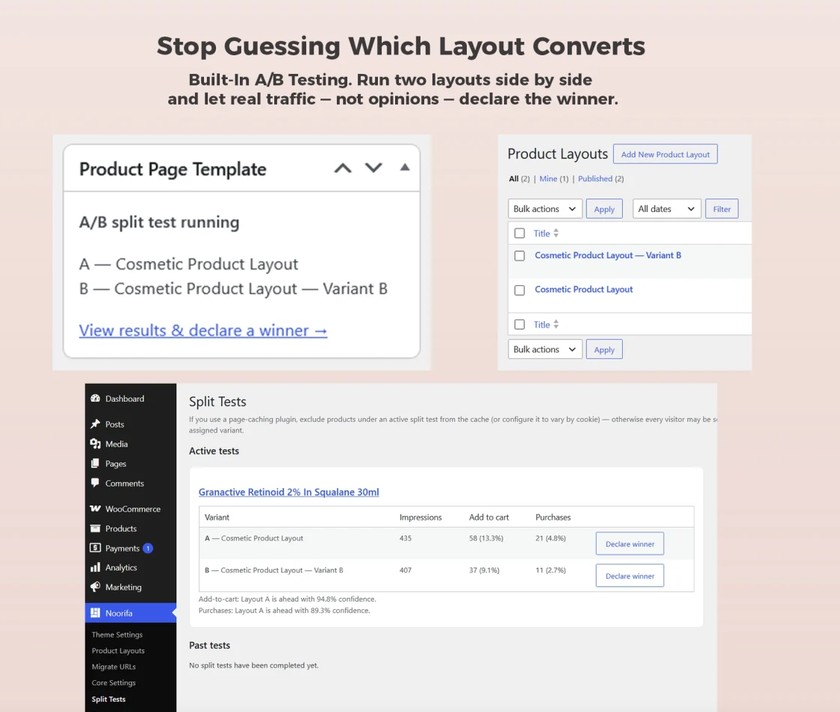
Test Different Layouts
built-in A/B testing, allowing you to test different product page layouts and compare their performance.
Instead of guessing which design works best, you can use real performance data to make better decisions.
Start Customizing Your WooCommerce Product Page
Whether you’re selling skincare, fashion, electronics, supplements, or other products, Noorifa gives you the flexibility to create a product page that fits your brand and your customers.
Build. Test. Convert.
Leave a Comment